Add or Remove a Team Member
Add, remove, and manage WordPress user accounts.
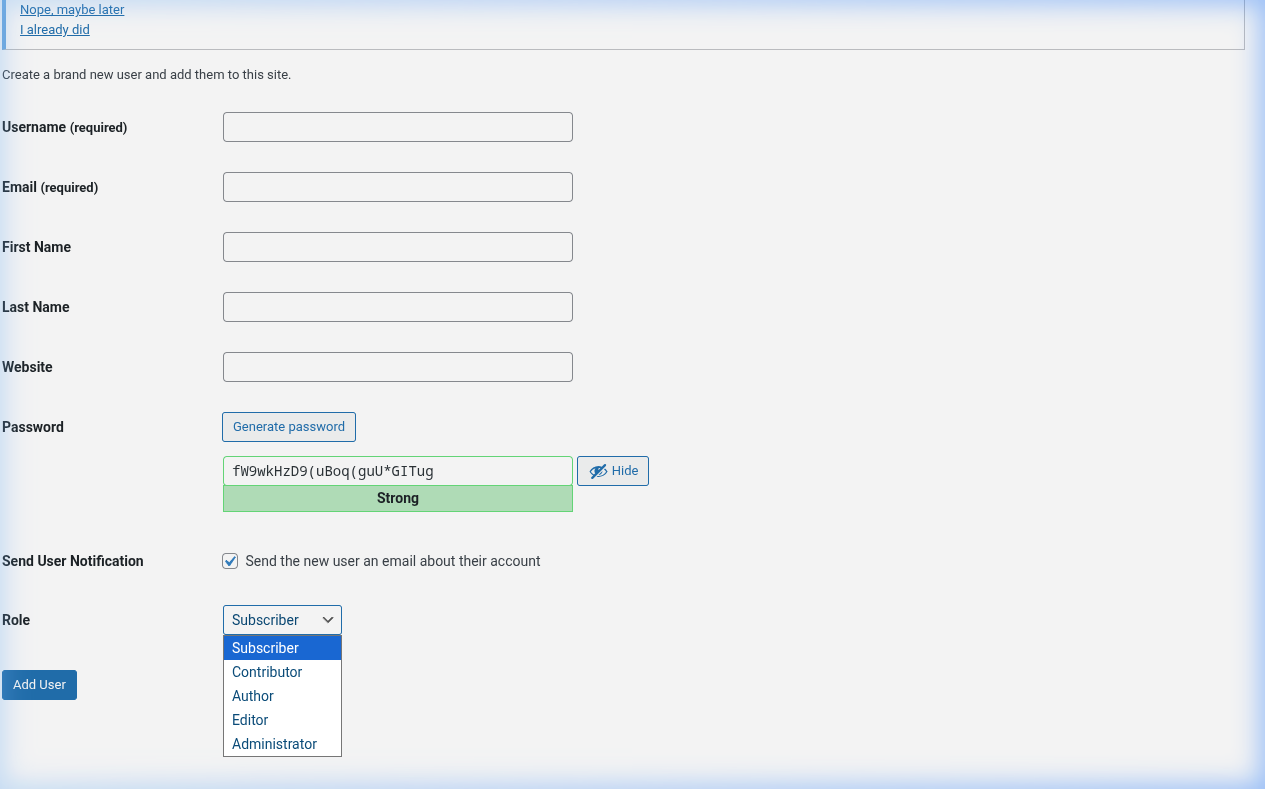
Procedure
Add user
1. Go to Users > Add New
2. Enter username and email
3. Select role (Admin, Editor, Author, Contributor, Subscriber)
4. Click Add New User
5. Notify user to change password
Remove user
1. Go to Users
2. Find the user
3. Click Delete or Remove
4. Confirm
Change role
1. Go to Users
2. Find the user
3. Click Edit
4. Change role
5. Click Update User
Reset password
1. Go to Users
2. Find the user
3. Click Edit
4. Scroll to password section
5. Click Generate password
6. Click Update User
7. Notify user
Key Points
- Follow least-privilege: give minimum permissions needed
- Remove inactive users regularly
- Use strong passwords
- Review roles quarterly
tl;dr
Add at Users > Add New. Remove at Users. Change role in Edit. Reset password there too.