Design a Page with Elementor
Create and edit pages using Elementor page builder.
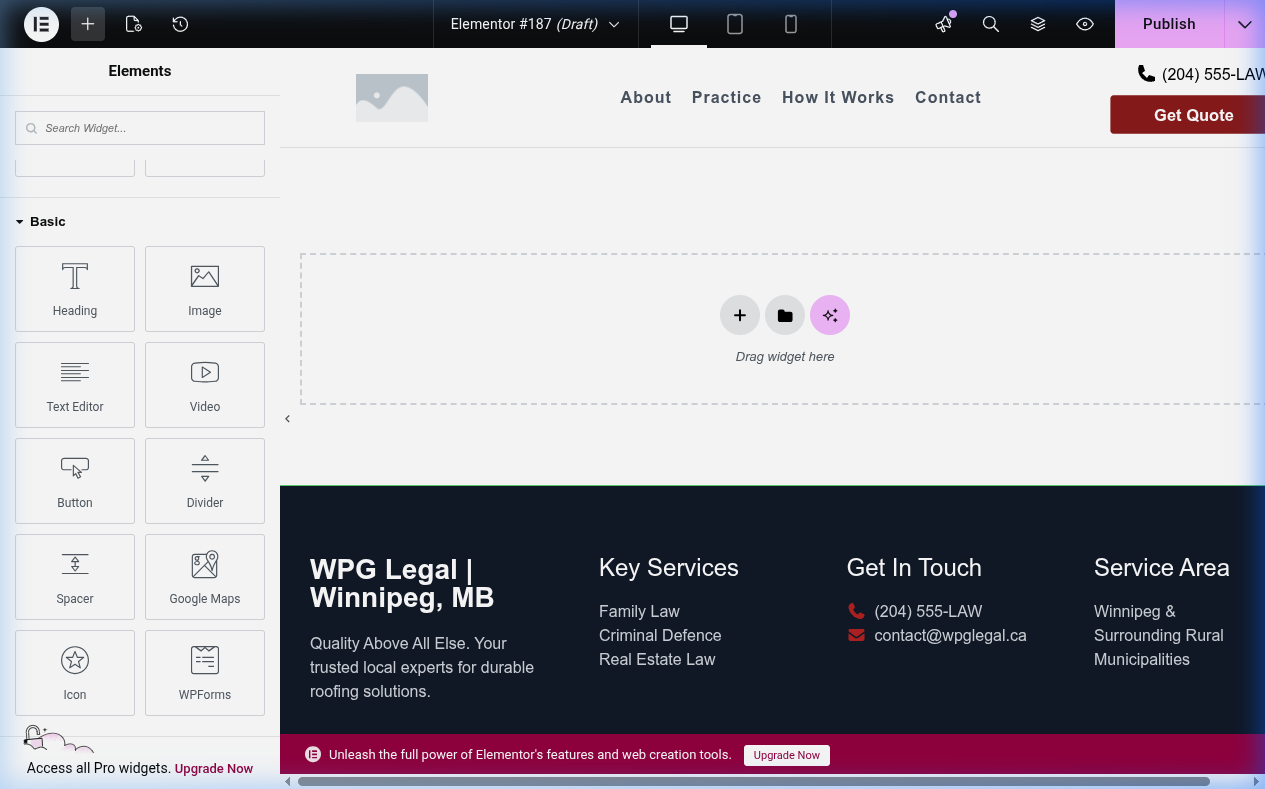
Procedure
Create/edit page
1. Go to Pages > Add New or All Pages
2. Click Edit with Elementor
Add sections
1. Click + to add section
2. Choose layout (columns)
3. Drag widgets from left panel
4. Customize in left panel
Use templates
1. Right-click section → Save as Template
2. Access saved templates from folder icon
3. Drag template onto canvas
4. Customize
Headers/footers
1. Go to Templates > Theme Builder (requires Pro)
2. Click Add New
3. Select Header/Footer/Archive
4. Design and publish
Mobile editing
1. Click device icon (desktop/tablet/mobile)
2. Adjust settings per device
3. Preview
4. Click Update
Key Points
- Use global colors and fonts
- Don't overload with animations
- Check mobile on all devices
- Optimize images
tl;dr
Edit with Elementor → Add sections → Drag widgets → Save as template → Check mobile → Update.