Fix Slow or Outdated Pages
Clear server and browser cache using Perfmatters and LSCache plugins.
Procedure
Clear Perfmatters cache
1. Log in to wp-admin
2. Find the Perfmatters icon in the top-right toolbar
3. Click it and select Clear Used CSS (All) or Clear All
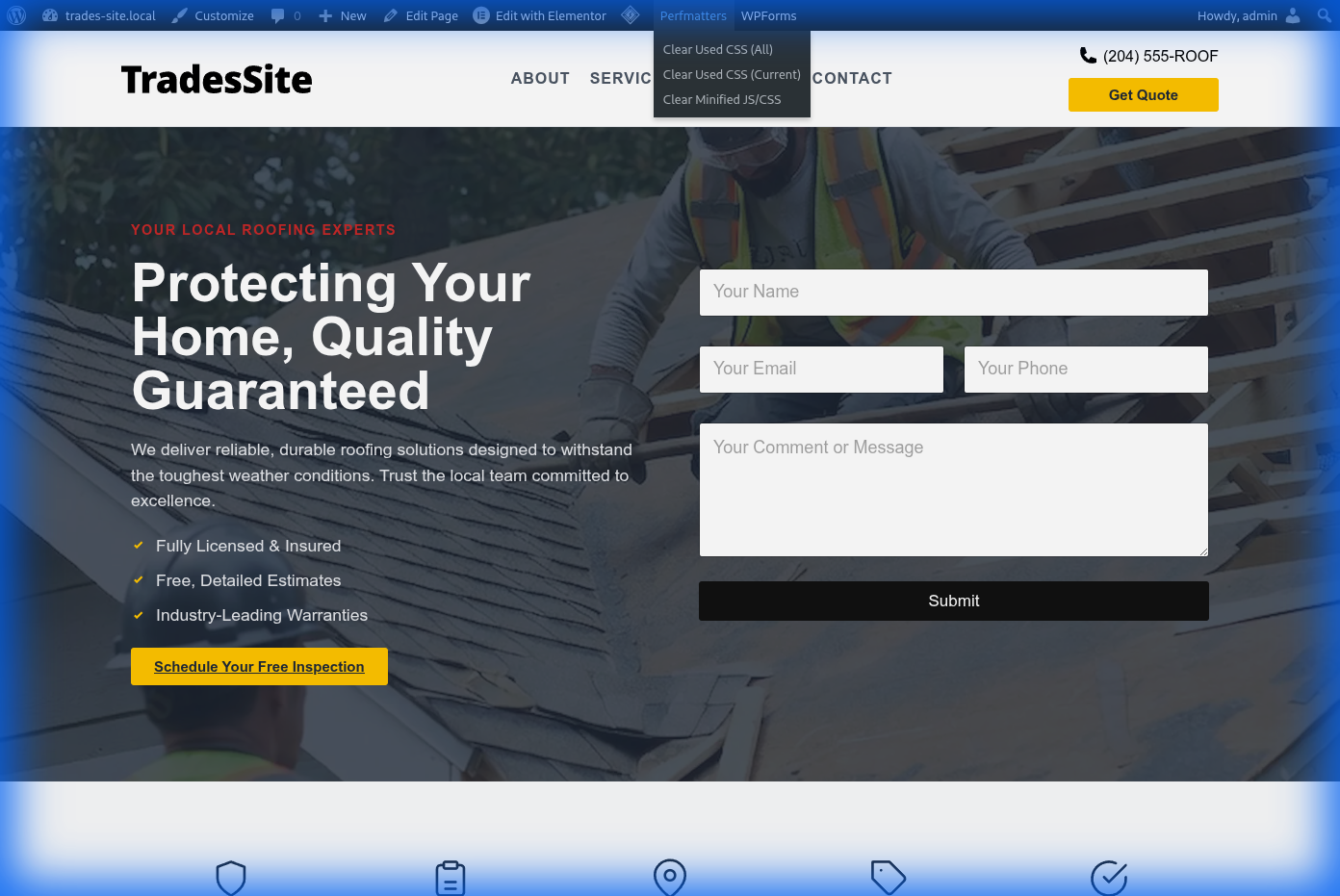
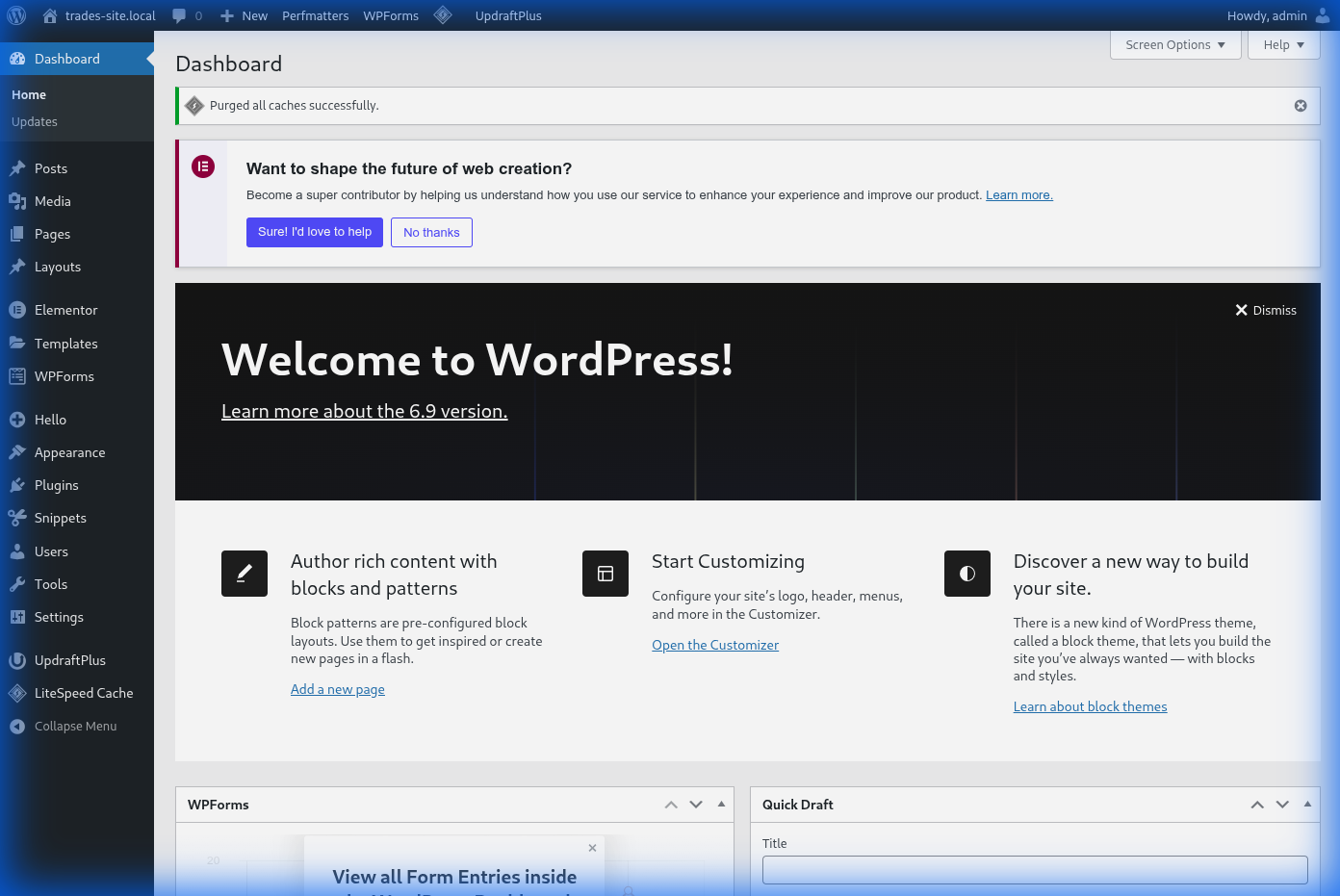
4. Wait for confirmation
Clear LSCache
1. Find the LSCache icon in the toolbar (next to Perfmatters)
2. Click it and select Purge All
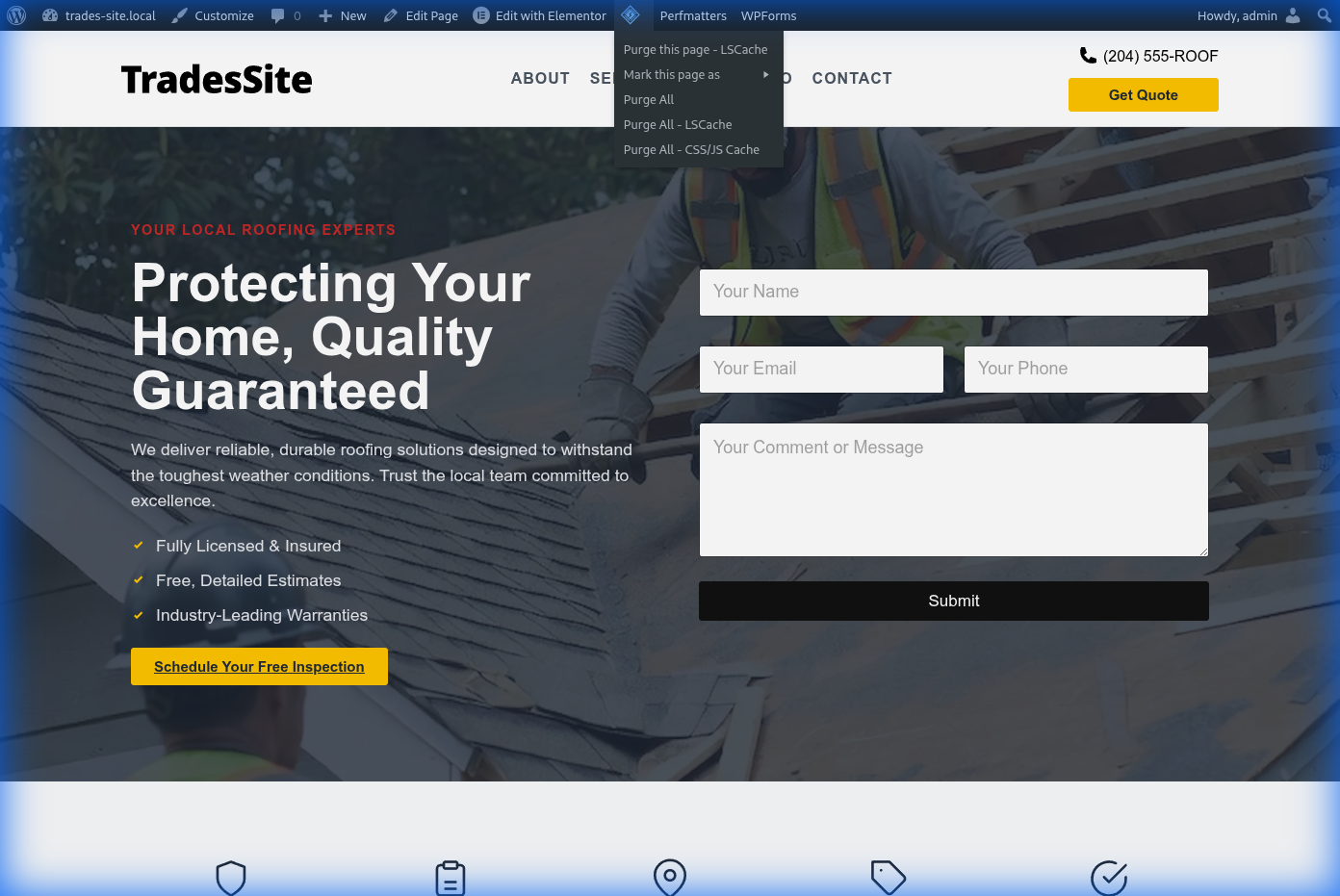
3. Wait for confirmation
4. If using Cloudflare, also select Purge Cloudflare
Key Points
- Clear cache after updating themes or plugins
- Clear cache when visitors see outdated content
- Don't clear too frequently - it increases server load
tl;dr
Click Perfmatters icon → Clear. Click LSCache icon → Purge All. Done.